Azure Regions, Availability Zones, and Region Pairs Explained: The Backbone of Azure Infrastructure: Series Part 2
Imagine deploying an application used by thousands of users.
Everything works perfectly… until suddenly a datacenter outage happens.
Servers stop responding.
Applications become unavailable.
Users cannot access your platform.
If your infrastructure is deployed in a single datacenter, the entire application goes offline.
This is exactly why cloud platforms like Microsoft Azure are designed with multiple layers of resilience.
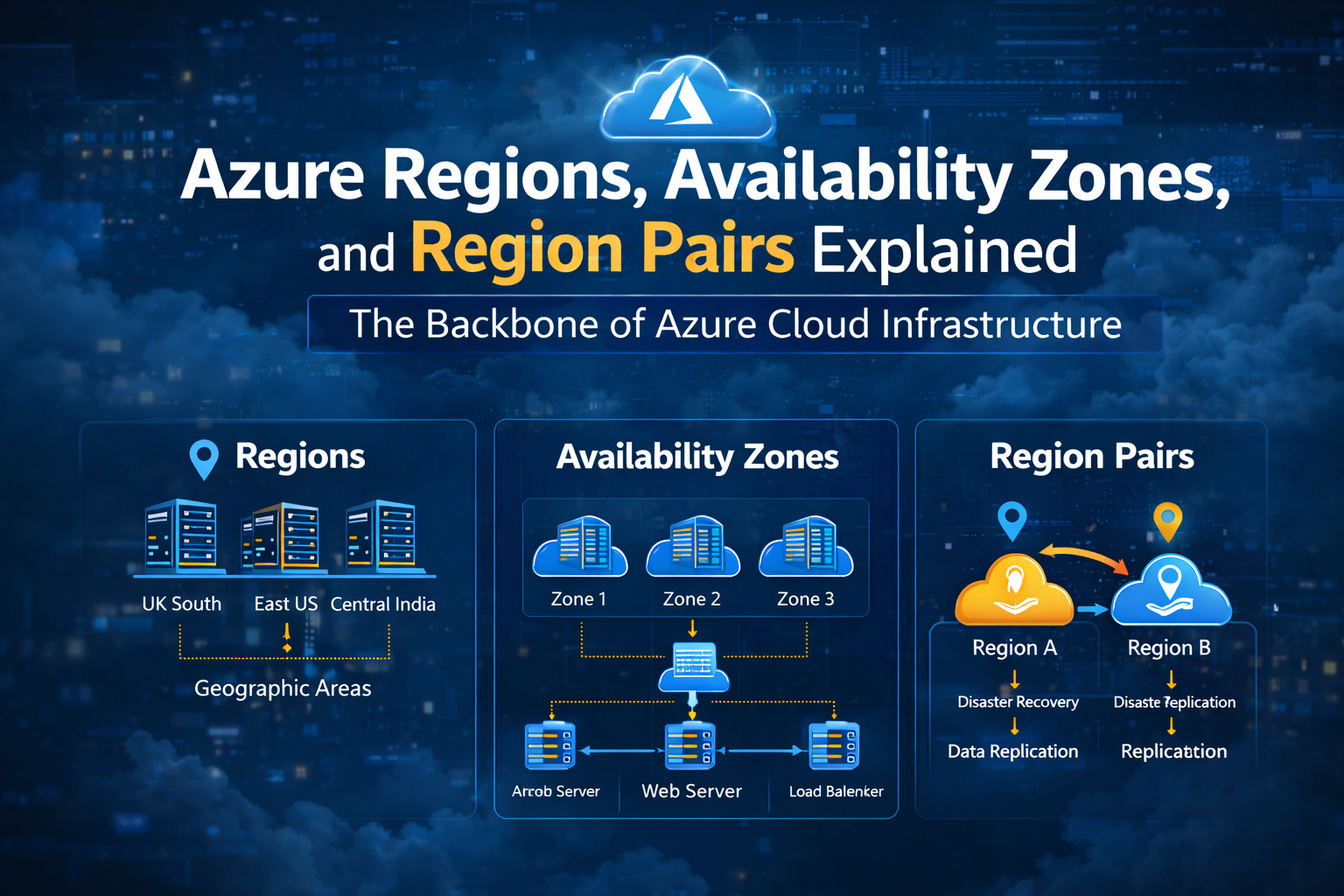
Azure uses three critical infrastructure concepts:
Regions
Availability Zones
Region Pairs
For an Azure Cloud Administrator, understanding these concepts is essential for building highly available and reliable systems.
What is an Azure Region?
An Azure Region is a geographic location where Microsoft operates multiple datacenters.
Each region provides the infrastructure required to run cloud services such as:
Azure Virtual Machines
Azure Storage
Azure Virtual Network
databases
application services
Examples of Azure regions include:
UK South
West Europe
East US
Central India
When you deploy resources in Azure, they always run inside a specific region.
Why Choosing the Right Region Matters
1. Latency and Performance
Applications should run close to the users accessing them.
For example:
European users → deploy in West Europe
Indian users → deploy in Central India
This reduces network latency and improves performance.
2. Compliance and Data Residency
Some organizations must keep their data inside specific countries due to regulatory requirements.
Azure regions allow businesses to meet data residency and compliance regulations.
3. Disaster Recovery Planning
Regions enable organizations to replicate workloads across different geographic locations, improving resilience.
What Are Availability Zones?
Within many Azure regions, there are Availability Zones.
An availability zone is a physically separate datacenter within the same region.
Each zone has:
independent power supply
separate cooling systems
isolated networking infrastructure
This means if one datacenter fails, the others continue running.
Example Architecture Using Availability Zones
A common architecture used by cloud administrators looks like this:
Zone 1
Application Server
Zone 2
Application Server
Zone 3
Application Server
All servers are connected through a load balancer.
If Zone 1 fails, traffic automatically shifts to Zone 2 and Zone 3.
This design significantly improves application availability.
Why Availability Zones Are Critical
Without availability zones, an application running in a single datacenter is vulnerable to:
power outages
hardware failures
networking issues
By distributing workloads across zones, administrators create fault-tolerant cloud architectures.
What Are Azure Region Pairs?
Azure also organizes regions into Region Pairs.
Each Azure region has another region in the same geographic area that acts as its pair.
Examples include:
West Europe ↔ North Europe
East US ↔ West US
UK South ↔ UK West
Region pairs are designed to support disaster recovery and data replication.
Why Region Pairs Exist
Region pairs provide several advantages.
Disaster Recovery
If an entire region experiences an outage, workloads can fail over to the paired region.
Data Replication
Some Azure services automatically replicate data to the paired region.
For example, storage accounts configured with geo-redundant storage replicate data across regions.
Platform Updates
Microsoft ensures that both regions in a pair are not updated at the same time, reducing the risk of downtime during platform maintenance.
A Real Production Example
Imagine an e-commerce platform deployed in UK South.
The architecture might look like this:
Primary Region
UK South
Availability Zones
Zone 1 – Web Server
Zone 2 – Web Server
Zone 3 – Web Server
Disaster Recovery Region
UK West
If a major outage occurs in the primary region, traffic can be redirected to UK West, allowing the platform to remain available.
Engineer Tip (From Real Operations)
Never deploy critical production workloads in a single availability zone.
Always distribute applications across multiple zones or regions.
This small design decision can prevent major outages in production environments.
Key Takeaways
Azure infrastructure is designed with multiple layers of resilience.
Regions provide geographic distribution for cloud services.
Availability zones protect applications from datacenter-level failures.
Region pairs enable disaster recovery and data replication across regions.
For Azure administrators, understanding these concepts is the first step toward building highly available cloud architectures.
